
DIY Guide: Seamless Wi-Fi Smart Thermostat Installation for Ultimate Home Comfort and Energy Savings
This post contains affiliate links and is sponsored by Schneider Electric. While I received product and/or compensation, all opinions are 100% my own and reflect my genuine experience with the Wiser Air Wi-Fi Smart Thermostat. I only recommend products I truly believe in.
In today’s interconnected world, smart technology has revolutionized the way we live, and home climate control is no exception. Gone are the days of basic, cumbersome thermostats that offered limited functionality. Embrace the future with Wi-Fi smart thermostats – intelligent devices designed to deliver unparalleled comfort, precise control, and substantial energy savings directly into your home. The most exciting part? You can easily install one yourself, transforming your home into a more efficient and comfortable sanctuary.
For a long time, I, like many others, believed that installing a home thermostat required the specialized expertise of an HVAC professional. This perception began to change just a few months ago when my own father effortlessly installed a new smart thermostat in his home. His successful DIY project was a timely revelation for us, as we had previously postponed upgrading our old house’s thermostat after receiving a daunting quote of over $400 for both the product and its installation. I’m incredibly glad we waited, because now, the latest in smart home climate technology is not only cutting-edge but also surprisingly accessible and affordable, allowing us to enjoy advanced features at a fraction of the cost. Sharing empowering DIY solutions like this – simple projects that add immense value and convenience to your daily life – is something I’m truly passionate about.
That’s why I am particularly thrilled to collaborate with Schneider Electric to provide you with a detailed, step-by-step guide on how to install and review their innovative Wiser Air Wi-Fi Smart Thermostat. This comprehensive tutorial will clearly demonstrate just how straightforward the DIY installation process can be, empowering you to confidently upgrade your home’s heating and cooling system and immediately start benefiting from this remarkable new technology.
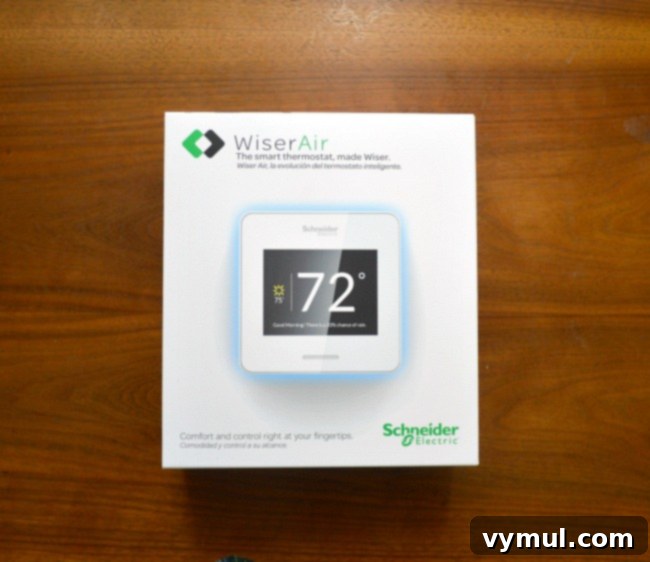
Why Upgrade to a Wi-Fi Smart Thermostat? Unlocking Superior Comfort and Significant Savings
Wi-Fi smart thermostats represent a monumental leap forward from their traditional counterparts. They are not merely devices for setting a static temperature; they embody intelligent climate management. These sophisticated devices actively monitor your home’s environment, meticulously learn your comfort preferences, and dynamically adjust settings to optimize both your comfort and overall energy consumption. The ability to control your home’s climate from any location using a smartphone app is just one of the many compelling features that make these devices indispensable.
Maximize Energy Efficiency and Substantially Reduce Your Bills
- Smart Scheduling & Geofencing: Move beyond rigid, pre-set schedules. Smart thermostats learn your daily routines and can even utilize geofencing technology (tracking your smartphone’s location) to automatically detect when you’re home or away. This allows them to intelligently adjust temperatures to conserve energy when your home is unoccupied, ensuring you’re not heating or cooling an empty house.
- Adaptive Learning Algorithms: Advanced features like Eco IQ™ continuously gather data on your comfort preferences and your home’s unique thermal profile. This iterative learning process allows the thermostat to gradually optimize heating and cooling cycles for peak efficiency, delivering consistent comfort without any energy waste.
- Real-time Monitoring & Detailed Reports: Gain unprecedented insight into your energy usage with comprehensive, real-time reports accessible via your smartphone. Understand precisely where your energy is being consumed, identify trends, and make informed adjustments to your settings to save even more money on your utility bills.
- Intelligent Weather Integration: Many smart thermostats seamlessly integrate with local weather forecasts. This allows them to preemptively adjust temperatures in anticipation of upcoming weather changes, such as a heatwave or a cold front, further enhancing both efficiency and your indoor comfort.
Experience Unparalleled Home Comfort and Modern Convenience
- Precise Temperature Control: Achieve and maintain a perfectly consistent, comfortable temperature throughout your home thanks to advanced sensors and highly accurate control mechanisms. No more hot or cold spots!
- Remote Access from Anywhere: Whether you’re at work, on vacation, or simply in another room, you can effortlessly adjust your thermostat using your smartphone, tablet, or computer. Forgot to turn down the heat before a trip? No problem. Want to warm up the house before you arrive home after a long day? It’s literally at your fingertips.
- Personalized Comfort Zones: Instead of having to guess and pick a specific temperature number, simply tell the thermostat if you feel too hot or too cold. Its intelligent learning algorithms will adapt to find and maintain your ideal comfort zone, tailored precisely to your preferences.
- Voice Assistant Integration: Many Wi-Fi smart thermostats can be seamlessly integrated with popular voice assistants such as Amazon Alexa or Google Assistant, offering the ultimate in hands-free convenience for climate control.
Introducing the Schneider Electric Wiser Air Wi-Fi Smart Thermostat: A Closer Look
The Wiser Air Wi-Fi Smart Thermostat, developed by Schneider Electric, stands as a prime example of cutting-edge climate control technology. It has been meticulously engineered to help you achieve significant savings on your energy bills without ever requiring you to compromise on your family’s comfort, thanks to its impressive suite of innovative features:
- Eco IQ™ Self-Learning Technology: This incredibly intelligent feature liberates you from the tedious task of manually programming complex schedules. Instead, you simply interact with the thermostat by indicating whether you feel too warm or too cool. Eco IQ™ then intelligently learns from your direct feedback, meticulously combining it with a myriad of environmental factors. These include your home’s unique thermal profile, current humidity levels, real-time outdoor weather conditions, and the operational run times of your HVAC system. The result is a continuously optimized schedule that prioritizes both your comfort and maximum energy efficiency. It truly offers a “set it and forget it” solution for sophisticated, intelligent climate management.
- Comfort Boost: Have you ever found yourself in need of a quick, temporary burst of heating or cooling without wanting to disrupt your finely tuned and optimized regular schedule? Comfort Boost is the perfect solution. This unique feature empowers users to activate instant heating or cooling for a focused period of 15 minutes. It’s ideal for those unexpected moments when you require rapid temperature adjustment, and critically, it performs this function without altering or impacting the carefully learned preferences or sophisticated algorithms that govern your thermostat’s long-term operations.
- Wiser Pulse: Beyond its powerful smart functionality, the Wiser Air also incorporates an intuitive and aesthetically pleasing visual feedback system. Wiser Pulse is an ambient glow feature elegantly integrated into the thermostat itself. It illuminates BLUE to visually indicate that your system is actively cooling, glows YELLOW when it is engaged in heating, and shines GREEN when its Eco IQ™ feature is actively saving energy. This optional visual cue is particularly useful in dimly lit areas, providing a quick, at-a-glance understanding of your HVAC system’s current operational status.
The Wiser Air Wi-Fi Smart Thermostat is conveniently and widely available for purchase from a variety of major reputable retailers, including Amazon.com, HomeDepot.com, the Microsoft Store, New Egg, and BestBuy.com. It is offered in two sleek and modern color options, classic black and pristine white, providing you with the flexibility to choose the design that best complements your home’s interior decor (in my personal opinion, the white option often presents a more seamless and integrated look on lighter-colored walls). Furthermore, the Wiser Air boasts broad and robust compatibility, working effortlessly with both iOS and Windows devices. Notably, it distinguishes itself as one of the few smart thermostats on the market that offers a dedicated Windows app, making it an excellent and versatile choice for users who utilize a Surface Pro or any other Windows-powered device.
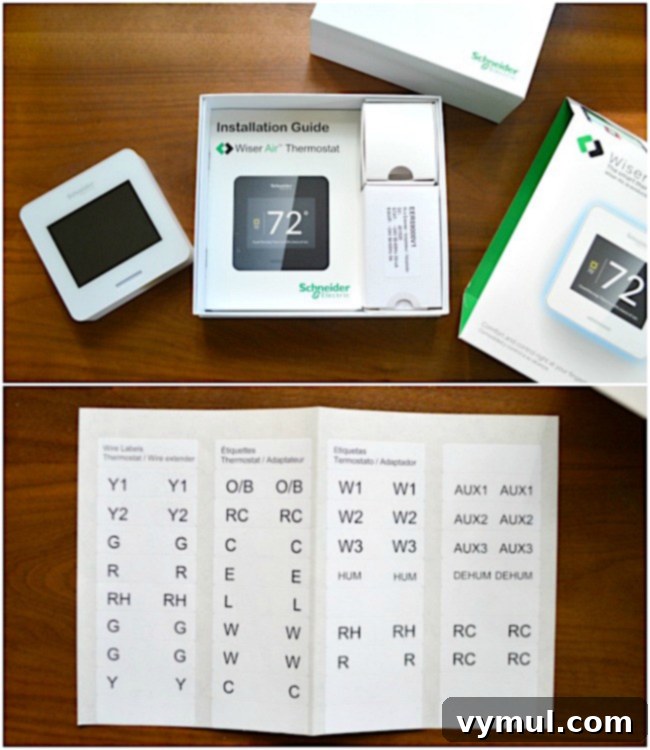
Upon unboxing the Wiser Air thermostat, you’ll immediately recognize and appreciate its thoughtful design and user-centric approach to DIY installation. The packaging is not only sleek but also highly efficient, containing every essential component you’ll need for a smooth and successful setup. This includes a clear, easy-to-understand installation guide that demystifies the process, along with crucial wire labels. These color-coded stickers are the linchpin for simplifying the wiring connections, making the entire procedure accessible even to novice DIYers. Additionally, an optional backplate and a power adapter kit are thoughtfully provided. This power adapter offers an invaluable solution for homes that may lack a common (C-wire) – a frequent scenario we will discuss in greater detail. These small, meticulously designed sticker labels are truly the unsung heroes of this do-it-yourself installation, ensuring accuracy and confidence for anyone undertaking the project.
Essential Tools Needed for a Smooth Wi-Fi Smart Thermostat Installation
To ensure your installation process is as seamless and efficient as possible, it’s highly recommended to gather all the necessary tools before you begin. You will typically need:
- Your new Wiser Air Wi-Fi Smart Thermostat kit (ensure all components are present)
- A set of small screwdrivers, including both standard (flat-head) and Phillips head types
- A power drill, complete with appropriate drill bits for creating pilot holes and installing wall anchors
- A small, reliable level to ensure your thermostat is mounted perfectly straight
- Optional but recommended: Touch-up paint, especially if your old thermostat left behind unsightly marks or if the new unit is a different size.
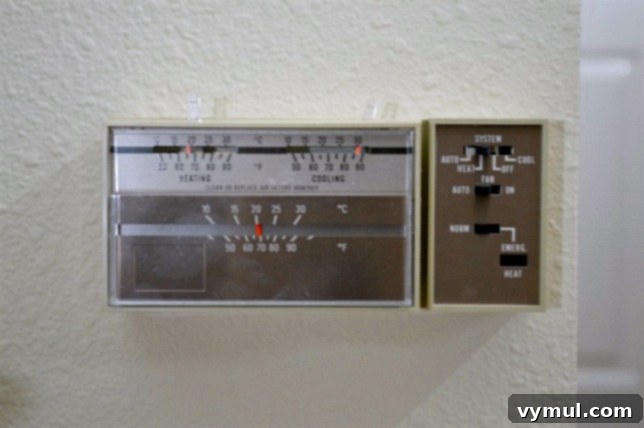
Step-by-Step Guide: How to Install Your Wi-Fi Smart Thermostat with Confidence
Installing a Wi-Fi smart thermostat is a surprisingly rewarding and straightforward DIY project that offers tangible benefits, including significant savings on professional installation costs and substantial reductions in your long-term energy bills. Follow these steps meticulously to ensure a safe, efficient, and successful upgrade to your home’s climate control system.
Critical Preparation Steps: Safety First!
- Thoroughly Read the Installation Guide: Before you even consider touching any wires, take the essential time to read the entire installation manual provided with your Wiser Air thermostat. Familiarizing yourself with all instructions, warnings, and diagrams will significantly prevent potential errors and ensure a much smoother, more confident installation process.
- CRUCIAL SAFETY STEP: Turn Off Power at the Breaker Box: This is unequivocally the most important step for your personal safety. Locate your home’s main electrical panel and identify the circuit breakers that control your heating and cooling system. It is vital to switch these breakers OFF. If your home utilizes a heat pump, you will typically find two distinct breakers: one specifically for the heat pump unit itself and another for the auxiliary furnace or air handler. To confirm that the power is indeed off, attempt to adjust your old thermostat – it should be completely unresponsive.
- Remove the Old Thermostat Cover: Gently and carefully pry off the front cover of your existing thermostat. This action will expose the internal wiring connections that power and control your HVAC system.
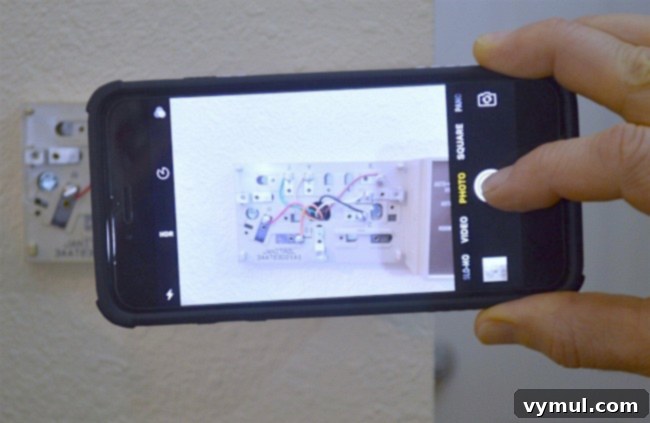
Step 1: Photograph the Old Thermostat’s Wiring. This seemingly simple action is an absolute lifesaver and arguably the most important non-installation step. Before you disconnect a single wire, use your smartphone to take a clear, well-lit, close-up photograph of your old thermostat’s wiring connections. Ensure that all wire colors and their corresponding terminal labels (e.g., R, G, Y, W, C, etc.) are perfectly visible and legible in the picture. This photograph will serve as your primary, invaluable reference throughout the entire installation process, preventing confusion and assisting significantly with troubleshooting if any issues arise later. Many new smart thermostats also require you to input this wiring information during their initial setup, so having it readily accessible is a huge advantage.
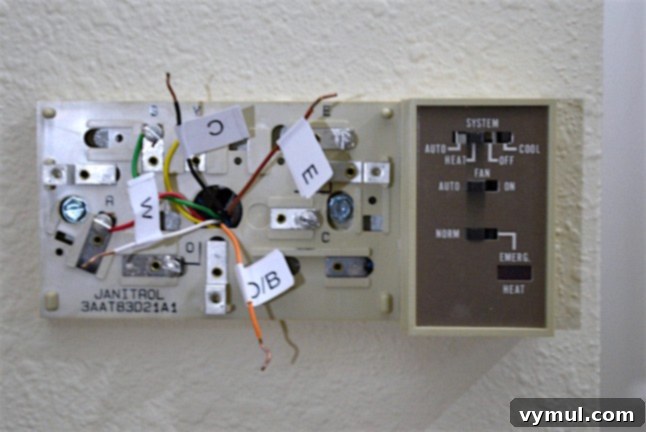
Step 2: Label Wires and Remove the Old Backplate. With your reference photo in hand, carefully proceed to label each individual wire using the provided adhesive stickers. It is crucial to match the letter on each sticker precisely to the corresponding letter on the existing thermostat’s terminal where that wire is connected. For example, if a red wire is connected to the “R” terminal, place the “R” sticker on that specific red wire. Once all wires are accurately labeled, use your small screwdriver to gently disconnect each wire from its respective terminal. After all wires are free, unscrew and completely remove the existing thermostat’s backplate from the wall. Gently pull the bundle of wires out from the wall opening by approximately 4 to 6 inches; this will provide you with ample slack to comfortably work with the wires during the next steps.
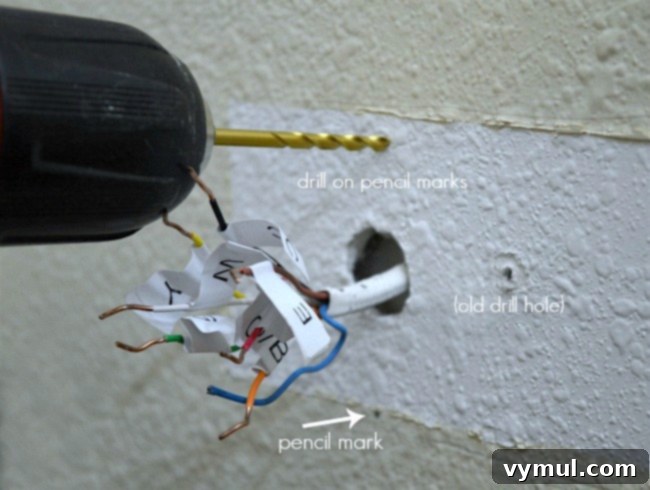
Step 3: Mount the New Backplate. Take the new Wiser Air backplate and hold it against the wall in your desired mounting position. Using a pencil, carefully mark the exact locations for the new screw holes. If your old thermostat left behind any unsightly marks, or if the new backplate is a different size, now is an opportune time to apply any necessary touch-up paint. While we ultimately proceeded with our installation due to not having the correct paint color immediately available, it is generally much easier to complete any painting at this stage rather than after the thermostat is fully installed. Once marked, use your drill to create pilot holes for the provided wall anchors (often called mollies), ensuring they are appropriately sized for the anchors. Carefully thread the thermostat wires through the central opening of the new backplate. If you opt to use the included optional trim plate (designed to cover a larger area left by an old thermostat), position it against the wall first, then align the new backplate directly over it. Securely attach the backplate to the wall using the mollies and screws provided, but do not fully tighten the screws just yet.
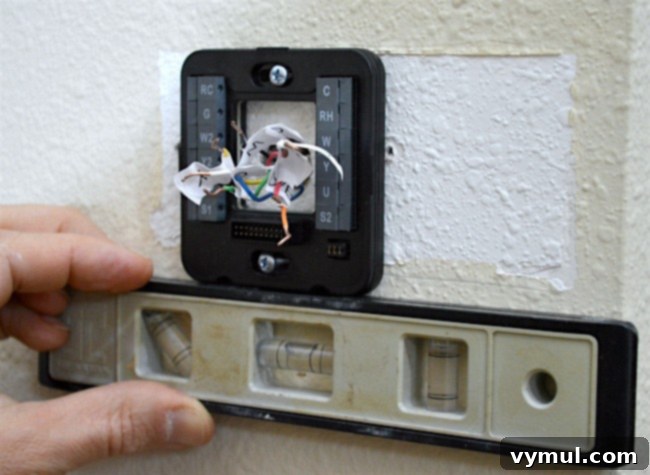
Pro Tip for a Professional Finish: Before fully tightening the mounting screws, take a small level and place it on top of the backplate. Adjust the backplate slightly until it is perfectly straight and level. Once you’ve achieved a perfect horizontal alignment, carefully and firmly tighten the screws until the backplate is securely fastened against the wall without any movement.
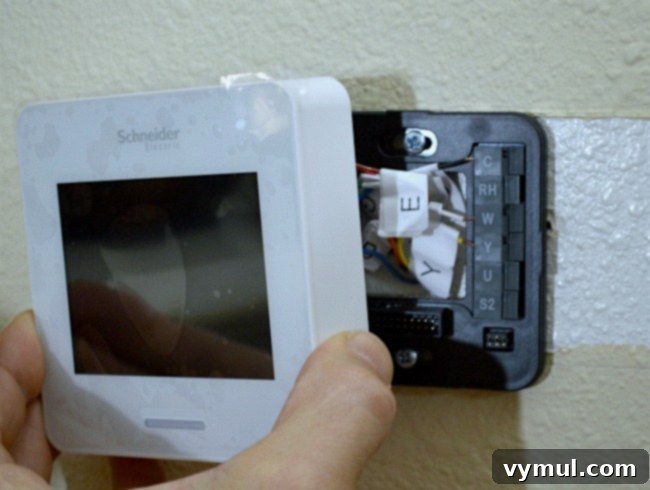
Step 4: Connect the Wires to the New Backplate. Gently push any excess wiring back into the wall cavity, ensuring you leave just enough slack to comfortably and easily connect each wire to its terminal. Now, meticulously connect each individually labeled wire to its corresponding terminal on the new Wiser Air backplate. It is absolutely crucial to refer constantly to the photograph you took in Step 1 to ensure accurate and correct connections. Most modern smart thermostats require a “C-wire” (common wire) to provide continuous 24V power, as they cannot solely rely on battery power like older, simpler models. If your existing setup does not have a C-wire, the Wiser Air kit thoughtfully includes a power adapter. If you need to use this adapter, follow its specific instructions very carefully for installation. This step is profoundly critical; incorrect wiring can potentially damage your new thermostat or, more severely, your HVAC system. Take your time, double-check every single connection against your reference photo before proceeding to the next step.
CRUCIAL TIP: Take a SECOND Wiring Picture! After you have successfully connected all the wires to your new thermostat’s backplate, but *before* you attach the front cover, take another clear and well-lit photograph of the fully wired backplate. Many smart thermostats will prompt you during their initial setup to confirm precisely which wires you have connected to which terminals. Having this second picture will prove invaluable, as it’s surprisingly easy to forget the exact connections after even a short period.
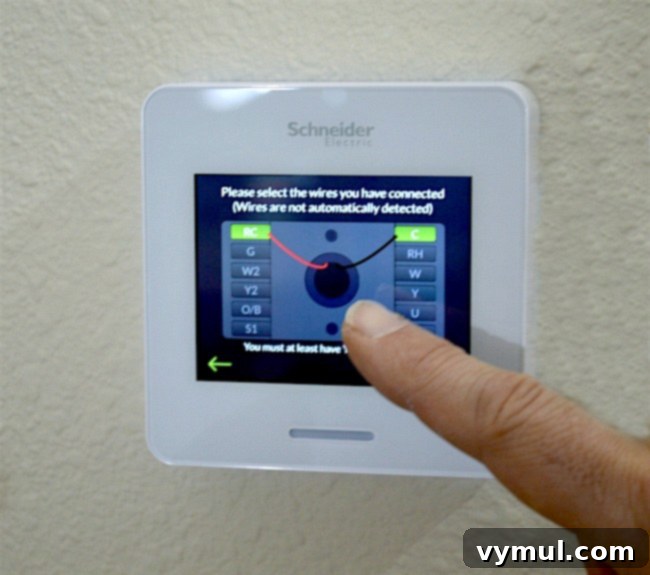
Step 5: Attach the Thermostat Front and Power Up. Carefully align the front display unit of the Wiser Air thermostat with the mounted backplate. Ensure that the terminal pins on the front unit perfectly match and engage with their corresponding counterparts on the backplate. Apply gentle, even pressure until you hear and feel the unit securely snap into place. Once the thermostat is firmly attached and seated, carefully remove any protective plastic film from the screen. Now, return to your main electrical panel and cautiously switch the circuit breakers for your heating and cooling system back to the “ON” position. Your Wiser Air thermostat should now power on and initiate its initial boot-up sequence.
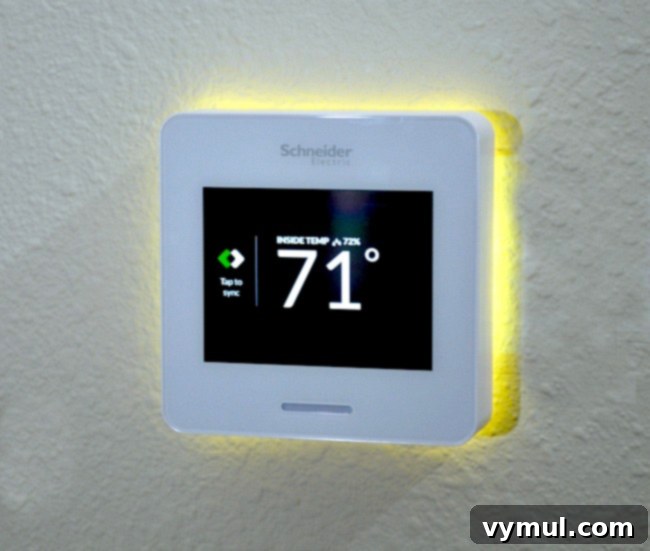
Initial Setup and Configuration: Once your Wiser Air thermostat has successfully powered on, it will guide you through a series of intuitive on-screen prompts. These essential setup steps typically include connecting your new thermostat to your home’s Wi-Fi network, setting the current date and time, and, critically, confirming the specific wiring connections you have made. This is precisely where your second photograph from Step 4 will prove incredibly useful – simply refer to it to accurately input your wiring configuration into the thermostat’s software. Following this, you will likely download the dedicated Wiser Air smartphone app to complete the remaining setup processes, personalize your comfort settings, and begin experiencing the full suite of smart features, including the advanced Eco IQ™ learning capabilities and convenient remote control from anywhere.
Embrace Superior Smart Home Comfort and Significant Long-Term Savings
And just like that – in approximately 45 minutes of focused effort – we successfully completed the installation of our Wi-Fi smart thermostat! This relatively simple DIY project not only provided us with significant savings on what would have been substantial professional installation fees but has also unlocked the tangible potential for even greater, ongoing savings through intelligent, automated energy management. With the advanced Wiser Air Wi-Fi Smart Thermostat technology now integrated into our home, we possess unprecedented control and the ability to monitor, adjust, and optimize our energy usage like never before.
The immediate benefits were strikingly evident: our home became consistently and effortlessly comfortable, eliminating the need for us to constantly think about manually adjusting the thermostat. The Wiser Air’s advanced motion sensor is truly a game-changer, intelligently detecting our presence. When we are home, it diligently maintains our preferred comfort settings, ensuring an ideal indoor environment. When we are away for an extended period, it automatically and seamlessly switches to energy-saving “away” settings, conserving precious energy without any manual intervention required from us. This sophisticated sensor also adds a touch of modern convenience and energy efficiency, automatically activating the display light and control screen as you approach, ensuring the interface is only active and consuming power precisely when it’s needed, thus preserving energy and contributing to its sleek, minimalist aesthetic.
It is truly remarkable and empowering how easily such sophisticated, professional-grade climate control technology can be integrated into a home through a straightforward DIY process. We are thoroughly enjoying the enhanced comfort, convenience, and peace of mind that the Wiser Air thermostat provides, and we are eagerly anticipating the substantial energy savings it will continue to deliver in the long run. We encourage you to upgrade your home today and experience the transformative future of intelligent heating and cooling!
Disclosure: I received product and/or compensation for this post. As always, the opinions, thoughts, and projects are all mine and I will NEVER promote something I don’t love and think you will find helpful – promise! For more info, you can read our entire disclosure page here.